
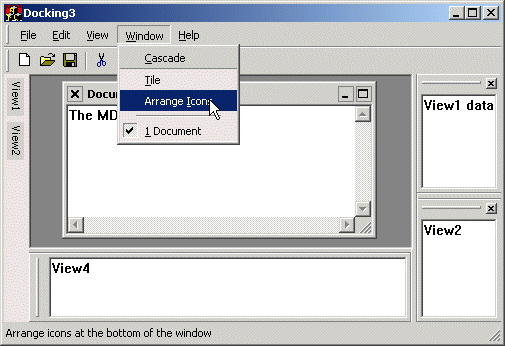
Currently the following classes are used:
Docking framework
My classes for docking and floating views are described here.Caption Painter
Paints a different window caption. Includes a specialized class of my genericCCaptionPainter
class paints a flat looking caption.
It re-engineers the functionality and layout of the standard buttons.
And it removes the system menu and other of the weird never-used widgets
of the normal Windows caption.
TaskBar Icon
Adds the application to the Windows Task Bar. Installs a new taskbar icon for the application, which reacts on mouseclicks by restoring the application window or presenting a popup menu. The main window is hidden when the application is minimized, but can be restored using the new taskbar icon.More about the class here.
Auto Hide panel
My control is described in details here."Recent" Command Bar
An Office2000 version of the Command Bar menu.It is an extension to the original WTL
CCommandBarCtrl
class. It adds "only show recent menu-items" capabilities to the menu bar.
Get more info about the control here.
Dialog Shadows
This Windows 2000 class adds tiny shadows around your dialog frames. The About dialog uses the shadows in this sample application.The class compiles and runs under previous Windows versions too, but doesn't do anything useful.
RTF Tool Tip
Colorful and attractive tool tips using Rich Text formatted text.Get the facts here.
Dialog View
Demonstrate how to use a dialog template as a view window. Fixes tab sequence and control focus issues.Source Code Dependencies
Microsoft WTL 3.1 LibrarySee Also
My XP-look User Interface sampleWTL documentation in HTML Help form
Download Files
 | Source Code (111 KiB) |
