
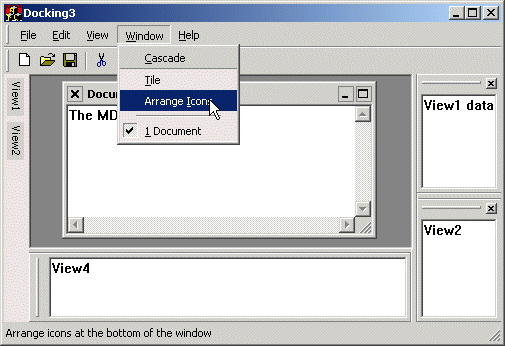
It's an extension to the WTL Command Bar - giving it a MS Office 2000 look. It has support for that "only show recent menu-items" thing Microsoft likes so much.
This control has been under construction for quite some time now. It's still not
perfect, but at least it's useable now.
The problem with building it was that the WTL Command Bar modifies the existing
menu instead of recreating a copy with the new owner-drawn style.
I guess Nenad Stefanovic (author of WTL) decided to do this to be able to preserve existing owner-drawn items and the likes,
but it would have helped a lot if the menus were recreated from scratch instead.
Nevertheless, Nenad's code really contains heaps of focus hacks and stuff that I did not want to code
myself, so this version still overloads the existing CCommandBarCtrl control class.
Anyway, the final shoot-out came down to getting separators right.
My solution to this problem requires you to not use separators in the resource editor,
but use a regular menu-item with the string "-" (without the quotes) instead.
The control will turn the separators back on at runtime.
Sigh, why did Bill Gates decide to send WM_MEASUREITEM for separators only once? That's downright stupid.
How to use it
You simply use CRecentCommandBarCtrl instead of the CCommandBarCtrl control class.You should also add a list of menu-items to display when the menus first pop up...
    UINT ids[] = {
      ID_FILE_NEW,
      ID_FILE_OPEN,
      ID_APP_EXIT };
    for( int i=0; i<sizeof(ids)/sizeof(UINT); i++ ) {
      m_CmdBar.AddRecent(ids[i]);
    };
When the user selects an item, it is automatically added to the list of items displayed. In addition, the next time the menu is shown, it displays the compact menu again.
You can override the menu display-mode with the
SetShowRecent() method.
And remember, don't use separators. Use a - character instead!
Source Code Dependencies
Microsoft WTL 3.1 LibrarySee Also
Menu SampleDownload Files
 | Source Code (7 KiB) |
