
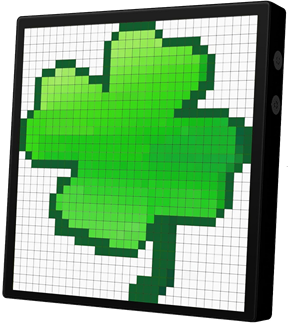
About The Project
This repository is a library for communicating with an iDotMatrix device.
These devices feature either a 32x32 or 64x64 RGB LED matrix.
You can buy these devices on the AliExpress shopping website and find the Android app here:
iDotMatrix.
This library was built on the work of the idotmatrix repo to reverse engineer the Bluetooth protocol. So no app is ever needed.
Also this excellent Python example python3-idotmatrix-client provided inspiration.
To display images and GIFs, you must have ffmpeg in your system PATH.
Built With
Getting Started
- Clone the repo
git clone https://github.com/bviksoe/idotmatrix-bvi.git
cdto it
cd idotmatrix-bvi
- Install packages using Node.js
npmtool
npm install
- Perform a test run...
node index.mjs auto clock --style frame
- Install ffmpeg video utility to process displayed images and animated GIFs. Make sure the utility is available in your system path.
ffmpeg -version
Usage
Once installed, you can begin to execute commands on the iDotMatrix device. You can perform single commands, as well as running a script with multiple actions.
The syntax for running a single command is:
node index.mjs <DEVICE> <YOUR_COMMAND_LINE_ARGUMENTS>
To discover your device, it must be turned on and ready for Bluetooth pairing.
Use the following <DEVICE> values to detect it.
 "auto" - This will automatically try to discover a device
 <name> - Use the full display name of the device
 <mac>  - Use a MAC address in format: 11:22:33:44:55:66:77:88
So, for just starting a regular effect on the command line, do this:
node index.mjs auto scrolltext --style marquee --text "This is a test"
While most examples shown here are single commands executed on the command line, you have the possibility to load a command file that contains multiple commands.
node index.mjs <DEVICE> @<FILENAME>
The @filename syntax will load the file and execute lines one-by-one.
Any line beginning with the # character is treated as a comment.
You can try to run the sample test file:
node index.mjs auto @scripts/test001.txt
Supported Commands
An iDotMatrix device supports a range of effects and management commands, allowing you to display images, animated GIFs and draw on the LED display like a canvas.
Command Syntax
Below is the full syntax for a command.
Remember to prefix each command with node index.mjs auto when using the command line utility.
Commands are given in kebab-case format, such as:
clear-screen
draw-pixel
Each command will take a range of options to customize the effect.
draw-pixel --pos (5,5) --color blue
scrolltext --text "This is a text" --style scrollup --speed 90
All Available Commands
The complete command list with parameters can be found here: All Commands.
| Command | Description |
|---|---|
| clear-screen | Clears the screen. |
| draw-pixel | Draw a pixel on the screen. |
| draw-pixels | Draw several pixels (same color). |
| clock | Show the clockface effect. |
| scrolltext | Marquee scrolling text effect. |
| image | Show a static image. |
| gif | Show an animated GIF image. |
| effect | Show some built-in pixel effects. |
| scoreboard | Show the Scoreboard effect. |
| chronograph | Show the Chronograph effect. |
| countdown | Show the Countdown effect. |
| set-time | Set the system time on the device. |
| set-eco-mode | Enable eco friendly mode. |
| set-draw-mode | Set drawing mode. |
| test-connection | Test availablility of device. |
| reset-device-hard | Delete data and reset device. |
| screen-freeze | Freeze the screen. |
| screen-off | Turn the screen off. |
| screen-on | Turn the screen on. |
| set-brightness | Set the screen brightness. |
| flip-screen | Flip the screen up-side down. |
| sleep | Pause a bit (scripting). |
| set-var | Set a variable (scripting). |
| run-script | Run a JavaScript plugin (scripting). |
Useful Hints
Some useful hints on scripting commands:
# Shortcut possible on default option (no --duration needed)
sleep 5

# Alternate command style (no kebab-case)
clearScreen red

# Script will loop forever
set-var loop-forever --expr 1

# Remember to quote/escape complex variable assignments
set-var my_complex_var --expr "other_var + \"more_text\""

# Use export. All commands now see hours24 option.
# Next Clock effect will be happy.
set-var hours24 --expr 1 --export

# Variables can be used as option values
set-var xyz --expr 3
sleep --duration $XYZ$
With the run-script command, you can write complex routines in a JavaScript file to control the device.
Here is an example:
await execute('clear-screen', { color: 'black' });
for (let i = 0; i < 5; i++)
  await execute('draw-pixel', { color: 'white', pos: `(${i},${i})` });
await execute('sleep', { duration: 10 });
In the script, Node.js modules fs and path, image libraries jimp and gifwrap, and objects device, options and vars are available.
Troubleshooting
Some hints in case of troubles:
- Use the latest version of Node.js (>= v22)
- Allow Node.js to build the Bluetooth library support using the pre-gyp build tool. If you opted out of pre-gyp, reinstall both Node.js and npm.
- Your PC must be equipped with a Bluetooth v4 adapter or better.
- Code was tested on Windows. Let me know of LINUX troubles.
Source Code Dependencies
Node.js 22FFmpeg
See Also
Simple LED matrix display funDownload Files
 | Source Code (105 KiB) |
